May 2026 Release Notes
📱 About Inklass
Inklass is the parent experience platform that makes every parent interaction unmistakably you. Your brand, your systems, your app — quietly connected to your SIS, LMS, library and communication systems.
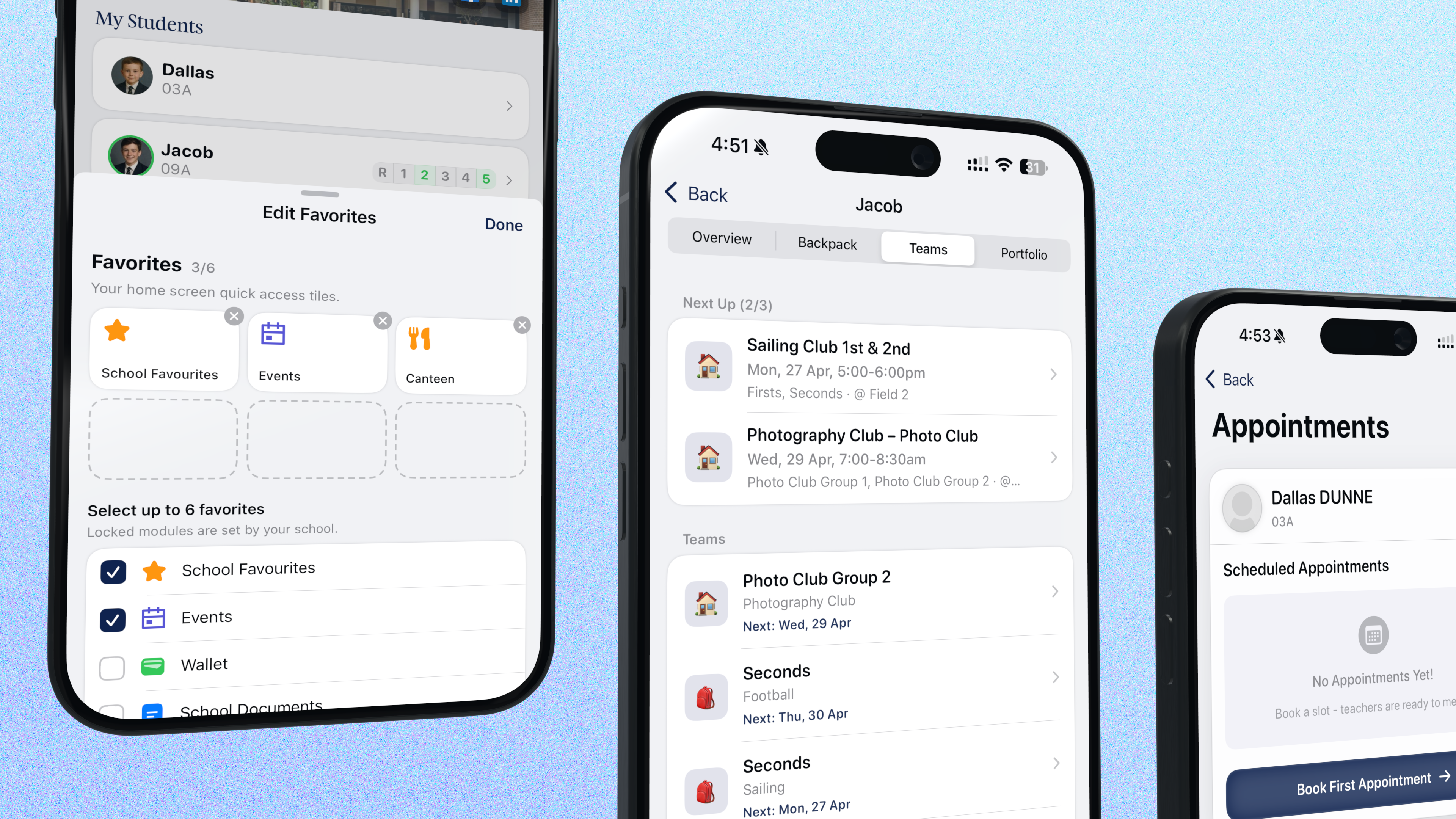
Independent schools have always been more than what’s taught in class — they’re chosen communities. Families pick you for the texture of the everyday, not just the curriculum, and the app you put in their hands is part of that promise.
That promise has a benchmark families set for you without realising they’re setting it: the apps they open before breakfast. Messages. Their banking app. Instagram or Facebook. None of them ask families to learn anything. None of them feel like a portal. None of them put a vendor’s logo where your school’s should be. Over half a decade, Inklass has been built to that benchmark for independent schools — real-time updates, smart notifications, a fluid feed, animations that feel intentional. Deliberately the opposite of the fragmented legacy portals nobody chose.
We’re delighted to bring you our latest release — packed with the most-requested features we’ve heard from our schools, deeper integrations across every platform we support, and a platform foundation built for the next decade of Inklass investment. And the pace is only accelerating: the roadmap behind these notes genuinely excites us, and we think it should excite you too. The highlights are below — there’s a lot more shipping continuously, plus features piloting with specific schools right now.
At a glance:
- 🏫 An uplifted My Favourites, plus full control over the Menu tab
- 📝 An uplifted absentee form across every common SIS
- 💳 Surfacing outstanding debtor status on the home screen
- 📋 A redesigned Clipboard experience
- 📚 A much broader Compass experience — Shop, Canteen, Wallet, Events and more
- 📂 New: School Documents, natively
- 🎓 A deeper Schoolbox experience
- 🤝 Parent-Teacher Interviews, levelled up
- 👥 Parent directories for Schoolbox + Compass
- 🚪 Compass Guardian door access, now from your school app
- 📅 A new Sync Schedule for calendar feeds
- 📬 Your unified inbox keeps getting better
- 📊 Improved reports
- 🎨 Polish, brand and craft
- 🧱 A brand-new cloud-native foundation under the hood
- 🌱 And there’s more
🏫 An uplifted My Favourites, plus full control over the Menu tab
Your home screen and Menu tab are now fully under your admin team’s control — every module, title, icon and colour, shaped from the dashboard.
For parents, students and staff:
- 🎯 Favourite up to six modules — some surfaced automatically by your connected platforms, others built bespoke by your school.
- ✏️ Tap Edit Favourites any time to add or remove. Force-favourites stay put.
- ✨ Pro tip: try removing a favourite, not just adding one. The way the tile pops out, the haptic tick that lands at exactly the right moment — every customisation tuned to make you smile.
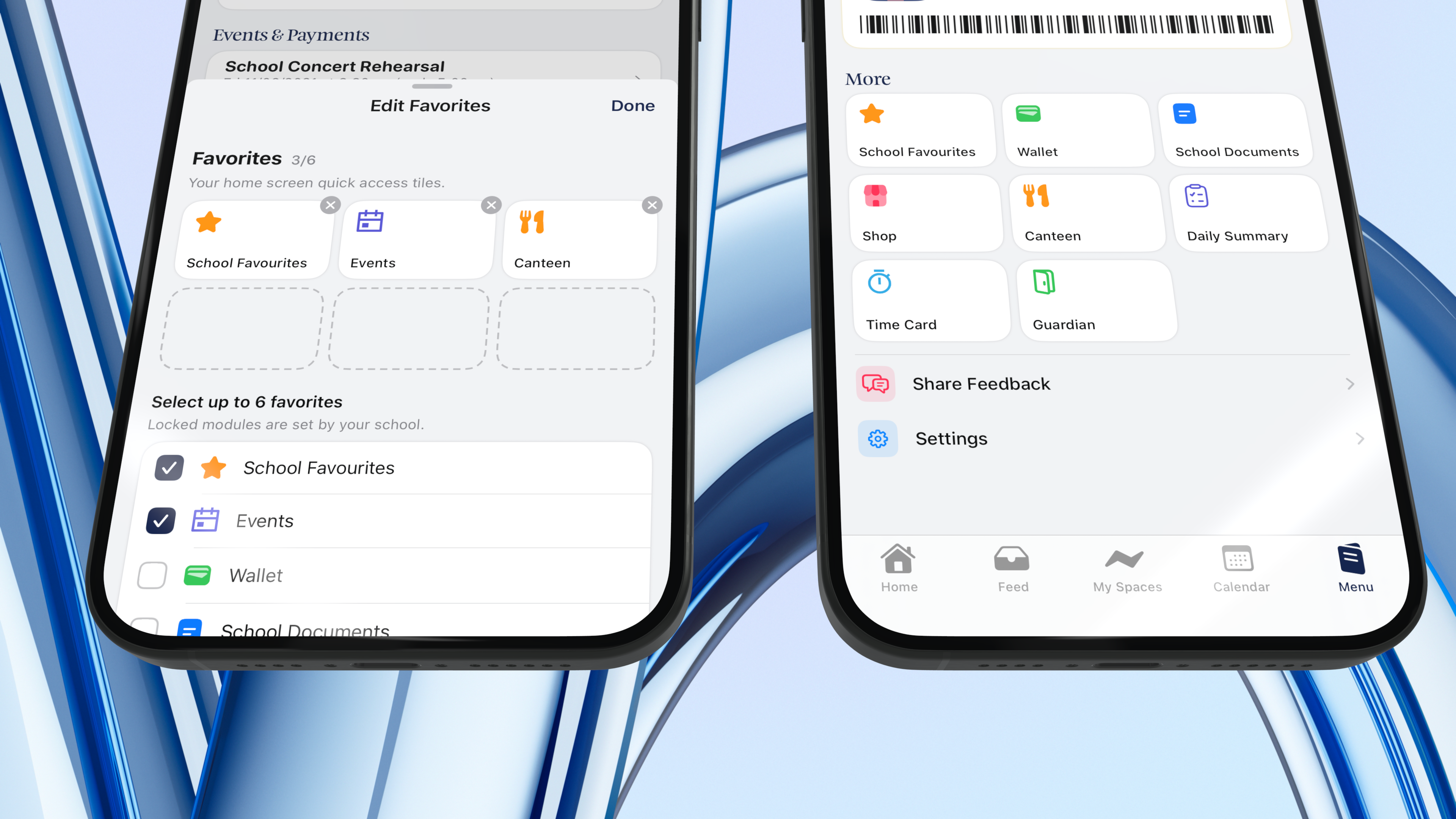
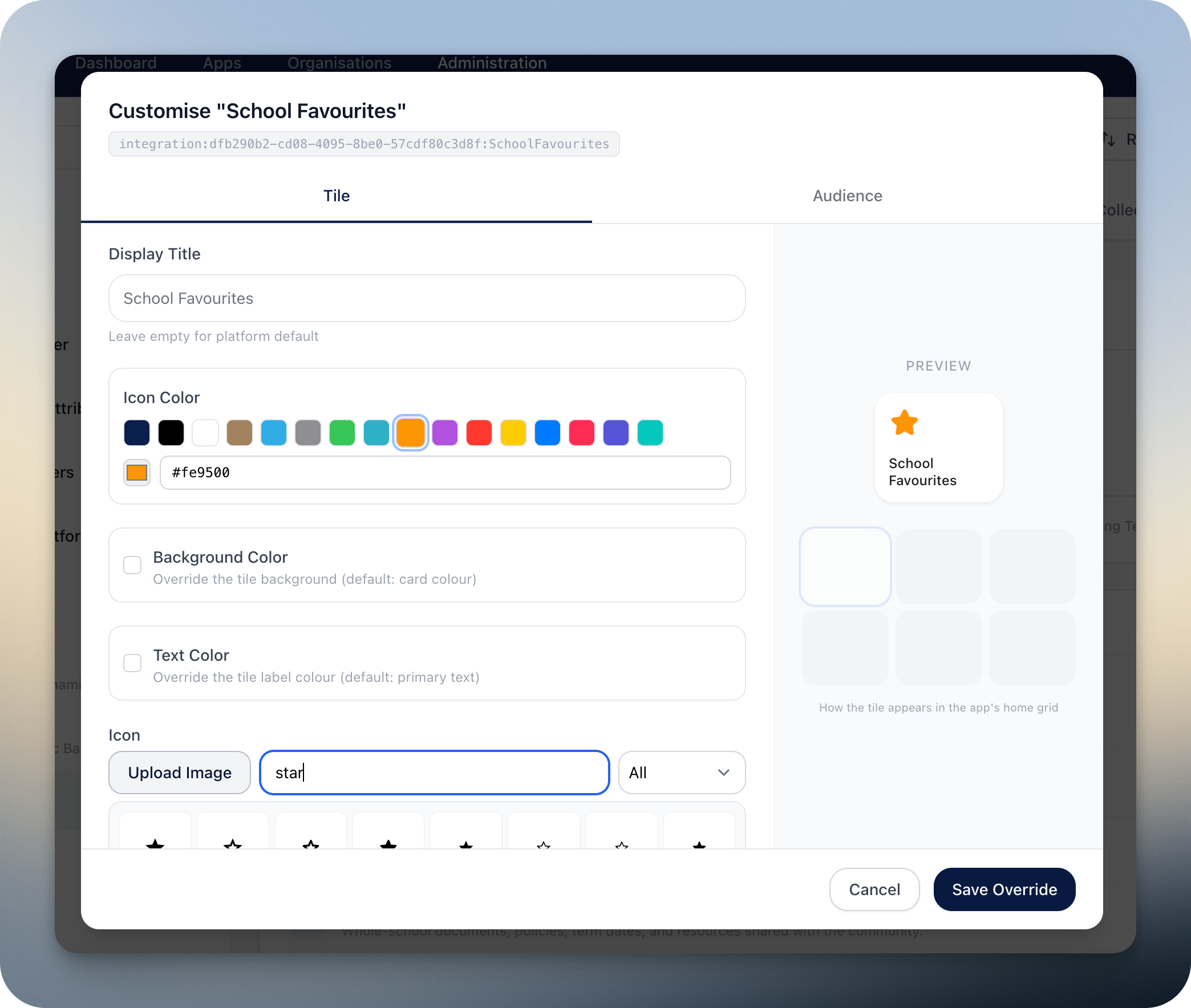
For your school’s admin team:
- Curate the module catalogue. Mix platform-supplied modules (Compass, Schoolbox, TASS, Synergetic and more) with custom modules of your own — from a simple pinned link, to an authenticated launcher into Compass or Schoolbox Remote Services, to a one-tap viewer for a weekly PDF (think canteen menu, week-at-a-glance notice). Set the title, background colour, icon, icon colour and text colour per module.
- Pin force-favourites that stay on every user’s home screen. Scope modules with granular permissions — both against the current logged-in user and against the user whose page a module is pinned to (parents seeing modules on a child’s backpack, staff seeing modules on a student’s profile, and so on).
- Choose your layout: horizontal scroll or 3 × 6 grid. There’s a plethora of styling and nitty-gritty config options under the hood for getting these looking just right for your school — and more coming.
📝 An uplifted absentee form
Every parent has been there. Your child wakes up sick. You start the day with a phone call, an email, a portal login, a webform you can’t quite find — and somehow it all still feels like the school doesn’t know.
Inklass apps have offered parent-submitted absentee forms for years. This release brings a substantially uplifted form — generally available across Synergetic and TASS. Compass-as-SIS rolls out to our Compass schools soon.
One form, one tap, every absence type covered, with a single multi-student selector so a parent submits once for siblings:
- Absent All Day — single day, or multi-day using the toggle.
- Arriving Late — with the time the student will arrive.
- Leaving Early — with the time the student needs to be picked up.
- Leaving Early, Returning — for when the student leaves and comes back the same day.
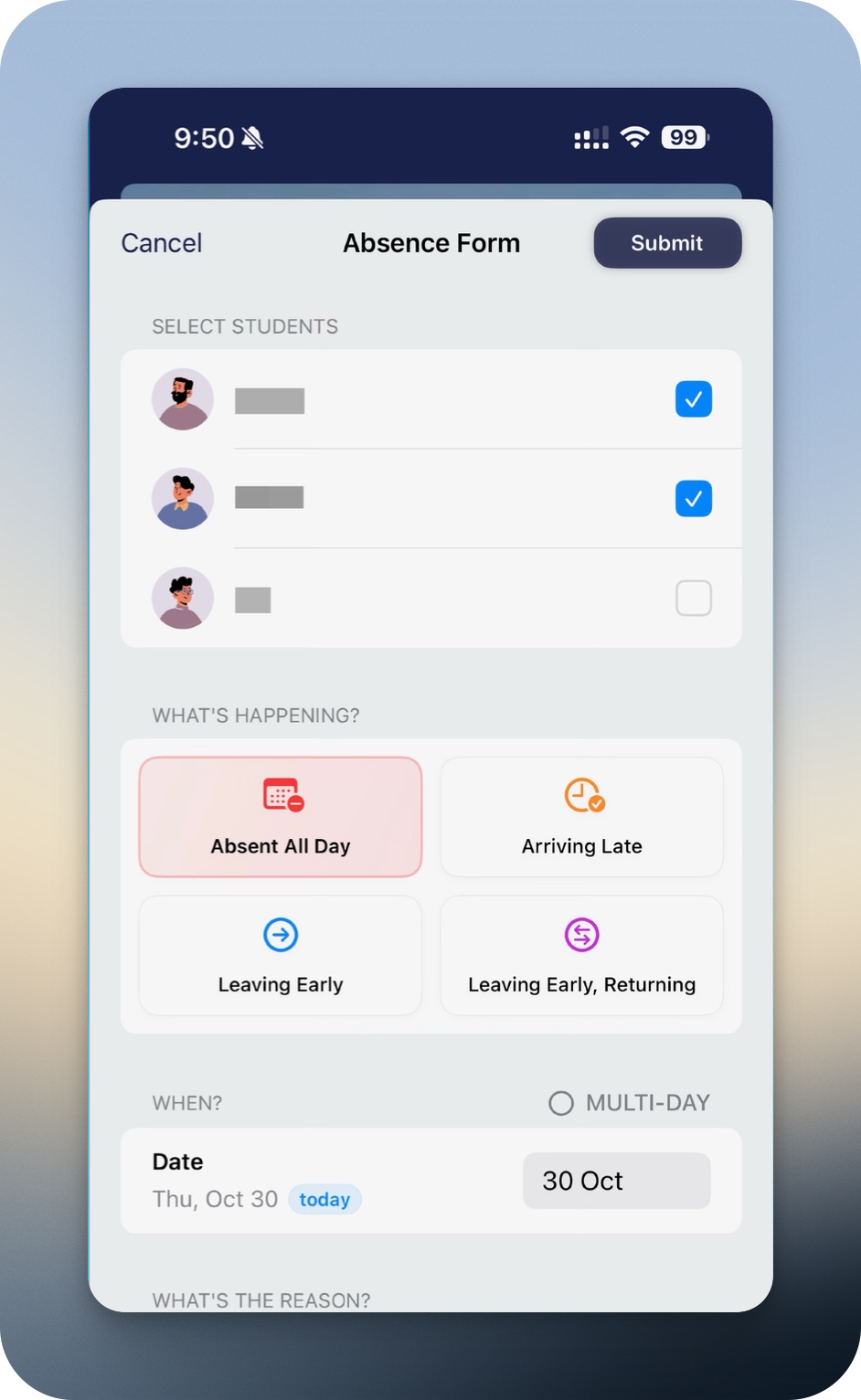
Every submission flows into your SIS as a proper absence record — the attendance your staff already collect is never overridden. What that looks like specifically depends on the platform underneath:
How it works per platform
Synergetic
Full submission flow across all four absence types, with the depth that comes from years of running this for Synergetic schools:
- Realtime SIS writes attributed to the actual parent by name (not a generic “Inklass user” service tag — where most integrations stop).
- Supersession-aware — parent submissions cede cleanly to kiosk sign-ins. The attendance your staff already collect is never overridden.
- Extended-leave workflow kicks in when multi-day absences cross your configured threshold.
- Smart campus-aware email routing — per-campus recipients, multi-campus families handled cleanly, optional fallback campus.
- Opt-in notifications per absence type — schools choose which submissions email the office, with more options added recently.
Read the full Synergetic absentee form walkthrough →
TASS
Full submission flow covering All Day, Arriving Late, Leaving Early, and Leaving Early, Returning. Submissions thread through Parent Lounge automatically — no separate Parent Lounge login for parents.
Compass
Compass-as-SIS absentee submission rolls out to our Compass schools soon — the same uplifted form, with submissions flowing straight into Compass.
You’re looking at today’s most comprehensive, beautiful and intuitive attendance and absence experience in any school app. Schools have told us where the bar should sit next — and we’re already there, building it. The next generation is closer than you think.
💳 Surfacing outstanding debtor status on the home screen
Schools chase payments over email. Parents pay invoices through portals they last logged into a year ago. Both sides hate it.
We’re piloting a new home-screen Payments card that surfaces an Outstanding Balance the moment a parent’s record has one — with an “Action Required” nudge, the amount due, and a one-tap path through to settle it. Parents see what they owe and pay it before the chase-up email is even drafted.
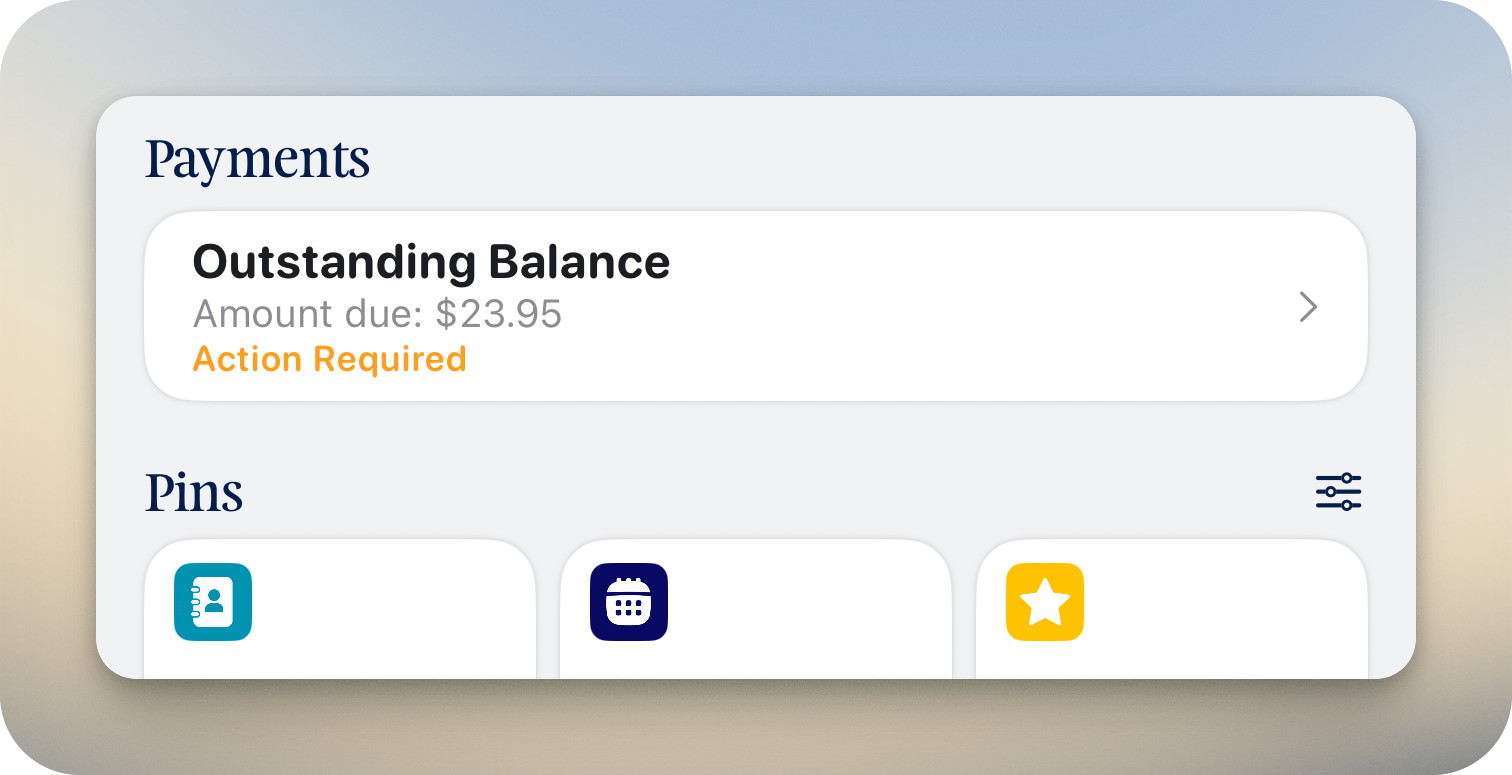
The card itself surfaces the current outstanding balance pulled live from your school’s ledger, with the Action Required nudge. Tap through and parents find:
- BPAY reference so parents on their banking app can pay in seconds, without hunting for an invoice PDF.
- A direct link to your payment portal — for schools running online payments, parents tap once and they’re there.
Schools choose between BPAY-only mode (show the reference details inline, no online payment) or online payment mode (deep-link parents straight through to your payment portal).
Currently in pilot with Synergetic schools. Surfacing this in the app requires you to update your Inklass permissions on the Synergetic side so we can read the relevant debtor data. Get in touch with support to request access for your school.
📋 A redesigned Clipboard experience
For our schools running Clipboard, it’s where extracurricular life lives — sport, music, debating, sailing, the lot. Inklass has provided a seamless integration with Clipboard — a leading extracurricular management platform trusted by schools across Australia — for a long time. This release makes that integration meaningfully better still.
We’re now part of the same family as Clipboard — and we’ve been hard at work strengthening this integration end-to-end.
Sessions, teams, attendance, scores and custom fields all now live in a single consolidated session detail view — no more bouncing between tabs to find what you need. Parents, students and staff see at a glance which sessions are pending, cancelled or complete — all of it real-time, with scores, location and team details on the same page.
And when something changes — a session cancelled, a start time pushed, a location moved — every affected parent and student gets a push notification within seconds. No waiting for the next email digest. No missed updates on a Saturday morning.
Activity Selections (which we shipped in September) continue to appear prominently on the home screen alongside the redesigned session detail view. It’s the kind of integration depth our schools tell us they don’t find elsewhere.
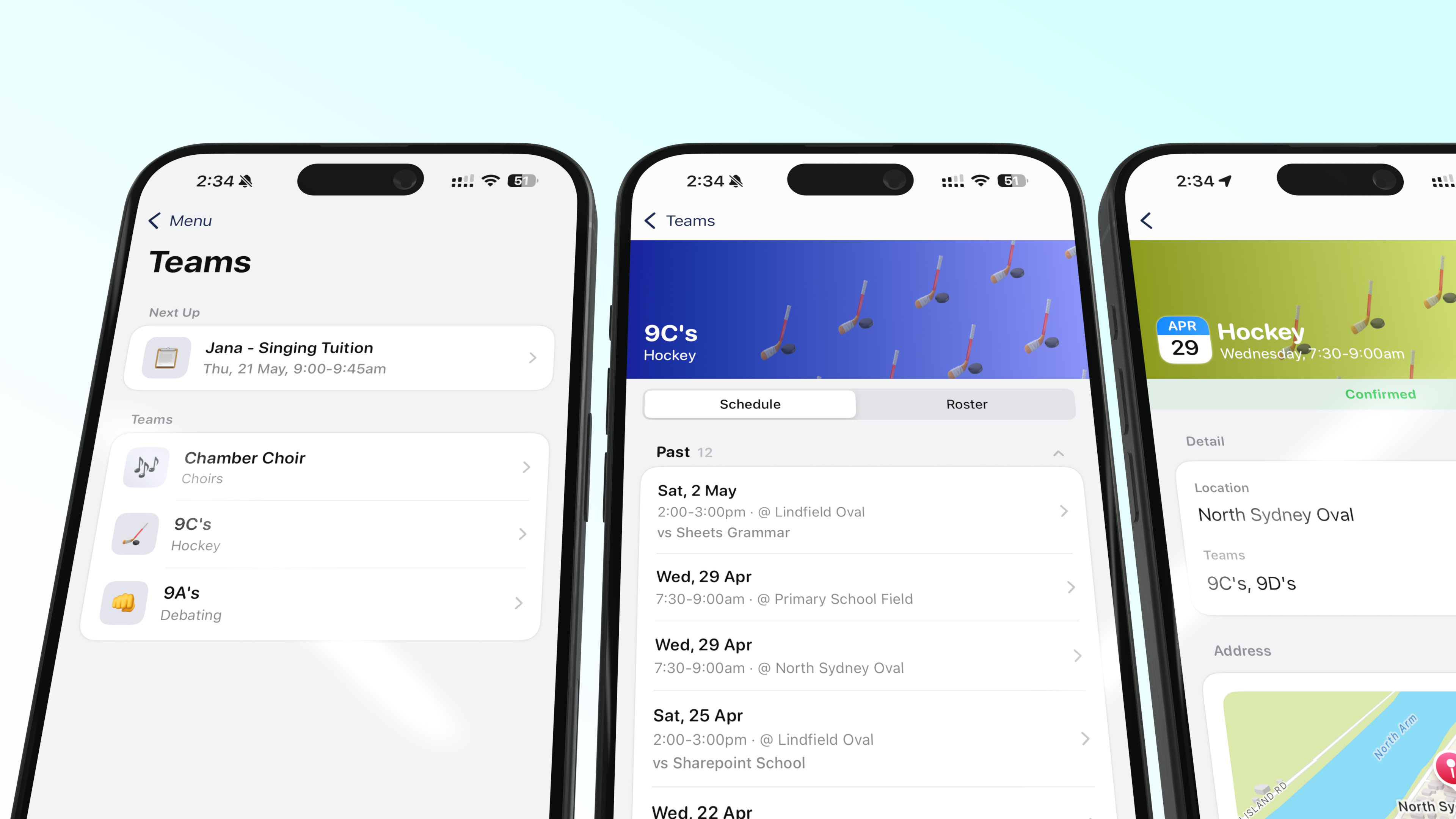
Learn more about the Clipboard integration in our Clipboard setup guide.
📚 A much broader Compass experience
For our Compass schools, Compass is already the operating system of school life. This release brings a much broader slice of that into your app — so your community can get to the things they already use every day, without leaving your branded front door.
The deeper Compass integration rolls out to our Compass schools soon.
- 🛒 School Shop — purchase merchandise, uniforms, or other items right from the app.
- 🍎 Canteen — place and manage canteen orders with cashless payments via student ID cards.
- 💳 Wallet — top up and manage cashless payment balances for canteen and other school services.
- 🎉 Events — school events, excursions and trips with consent forms, payments and risk assessments built in.
- 📊 Insights — surveys, feedback forms and individual learning plans sent by the school.
- 👨👩👧 Family & Enrolments — family details and enrolment management — applications, agreements and status tracking.
- 📸 Photo Ordering — order and purchase school photos through MSP , straight from the app.
- ✏️ Update My Details — parents update personal and contact information on file with the school.
- 📚 Course Confirmation — confirm subject and course selections for upcoming academic periods.
- ⭐ School Favourites — a curated collection of links and resources pinned by the school for quick access.
- 🗂️ My Files — personal file storage within the school platform.
For staff:
- 🗓️ Daily Summary — staff’s day at a glance: room swaps, session changes, cancellations and cover arrangements for today, delivered as a PDF generated on the fly.
- 🕒 Time Card — staff sign-in and sign-out tracking. Works with Compass Kiosk for tap-based check-in.
📂 New: School Documents, natively
Schools store a lot in their connected systems — policies, term dates, training materials, the lot. This release adds a native School Documents browser to the app: folder navigation, breadcrumbs, file icons and inline PDF preview.
It’s the first thing parents, students and staff reach for when they need an official school document, and now they don’t leave your school’s app to get it. Built on a platform-agnostic foundation, so future document and resource surfaces plug straight in — availability depends on which platforms and integrations your school has connected.
A question for Schoolbox schools — would you like Schoolbox resources surfaced here in the School Documents browser, or kept where they are today? Let us know.
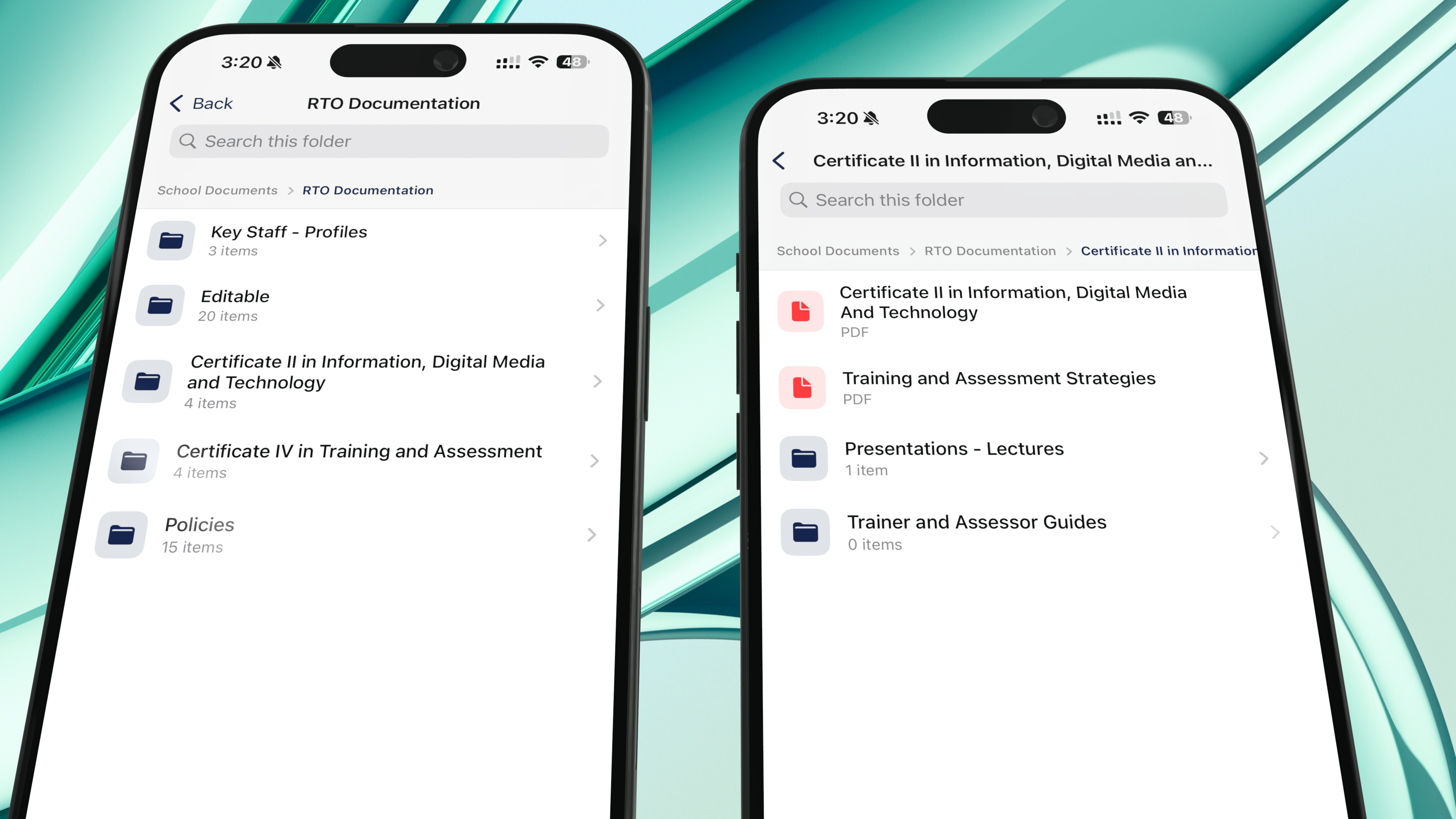
Pictured above is Compass as a data source.
🎓 A deeper Schoolbox experience
If Schoolbox is where your school’s learning lives, this release deepens that home in the app. We’ve been lucky to walk a long road with our Schoolbox schools — and together you’ve shaped one of the most comprehensive and continually expanding Schoolbox integrations out there. This release adds another layer:
- Parent-tappable timetable items — schools can now choose whether parents tap a Schoolbox timetable item to dive into the class or group page, or whether timetable items are presented read-only.
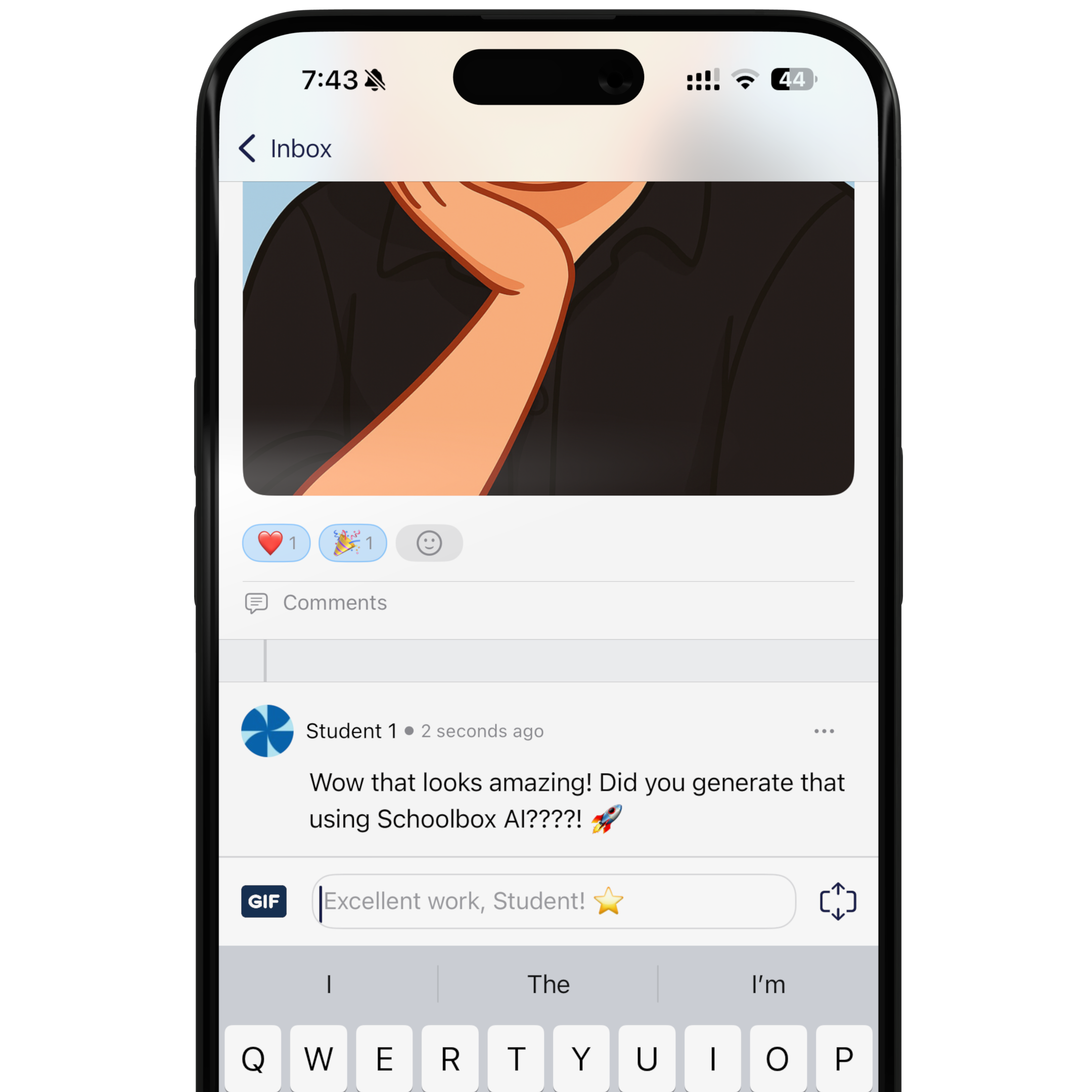
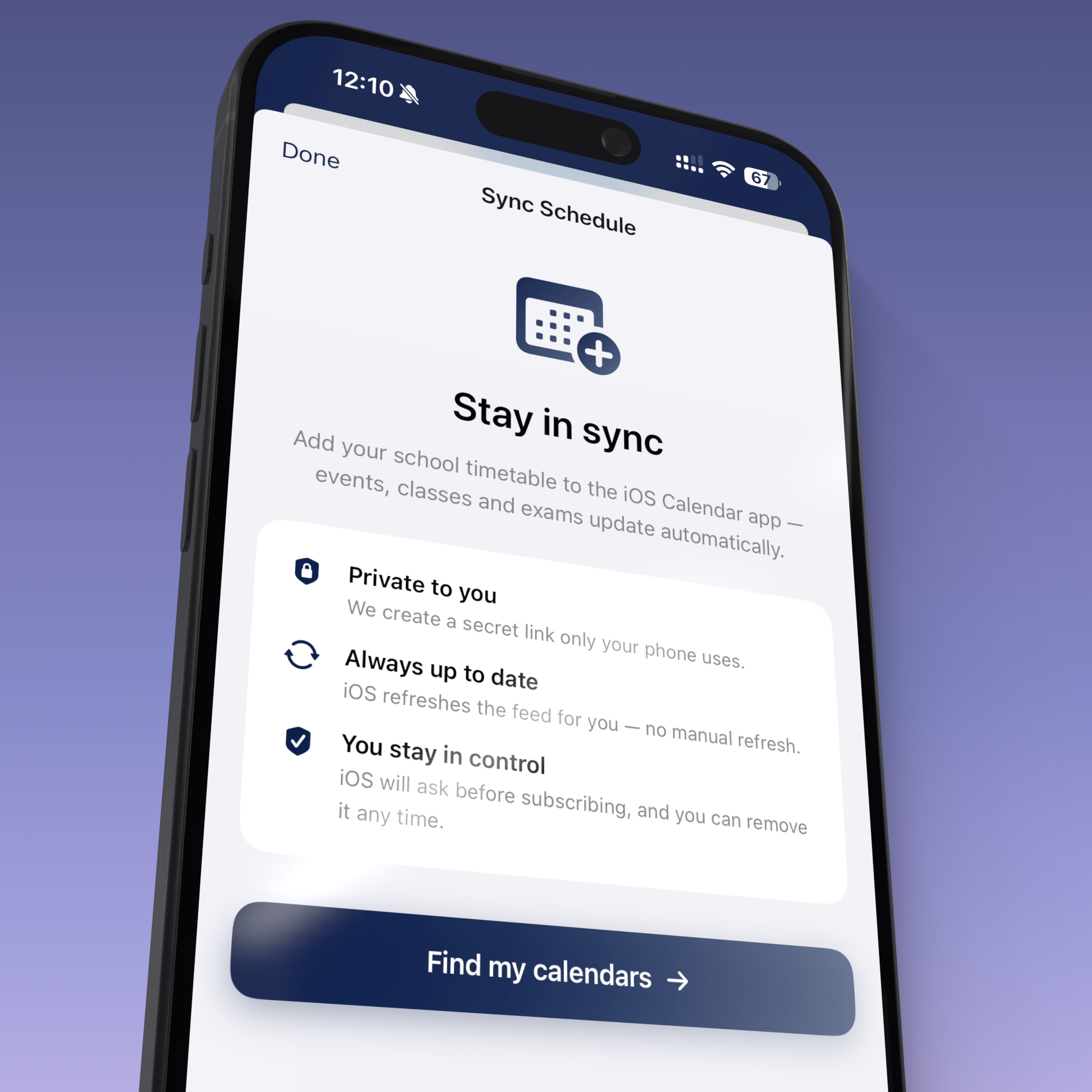
- Calendar sync for personal Schoolbox calendars — back as part of the new Sync Schedule sheet.
Features that keep evolving long after they ship
Inklass doesn’t ship-and-forget. Marquee features from earlier releases — Schoolbox Learning Moments, native Discussions, refined badges and achievements — keep maturing release after release, shaped by what we hear from the schools using them every day.
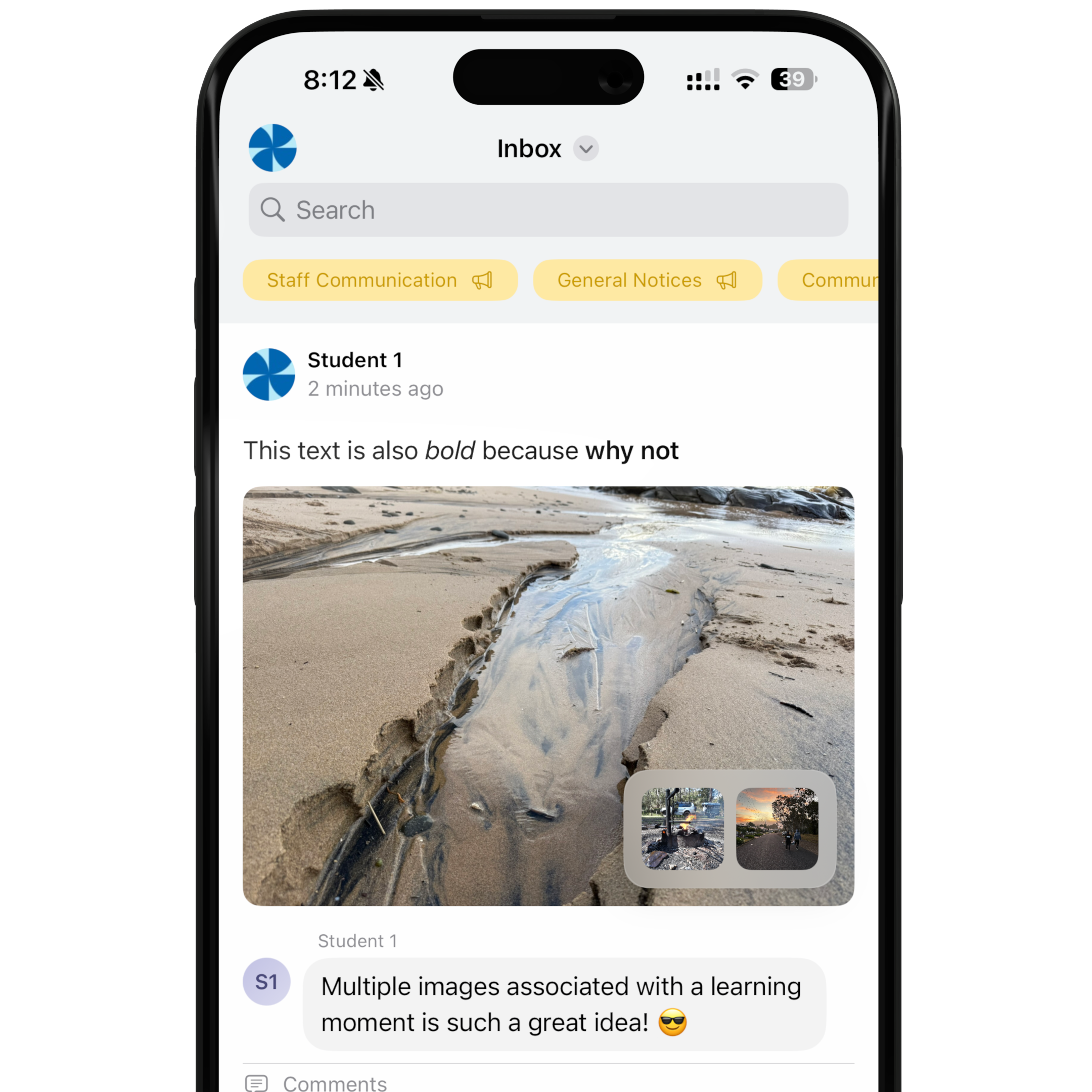
While we’re here, a quick FYI for Schoolbox schools: your app’s native Learning Moments experience — which has been in there for a while — now supports multiple attachments per moment and image gallery viewing, so richer moments come through end-to-end.
🤝 Parent-Teacher Interviews, levelled up
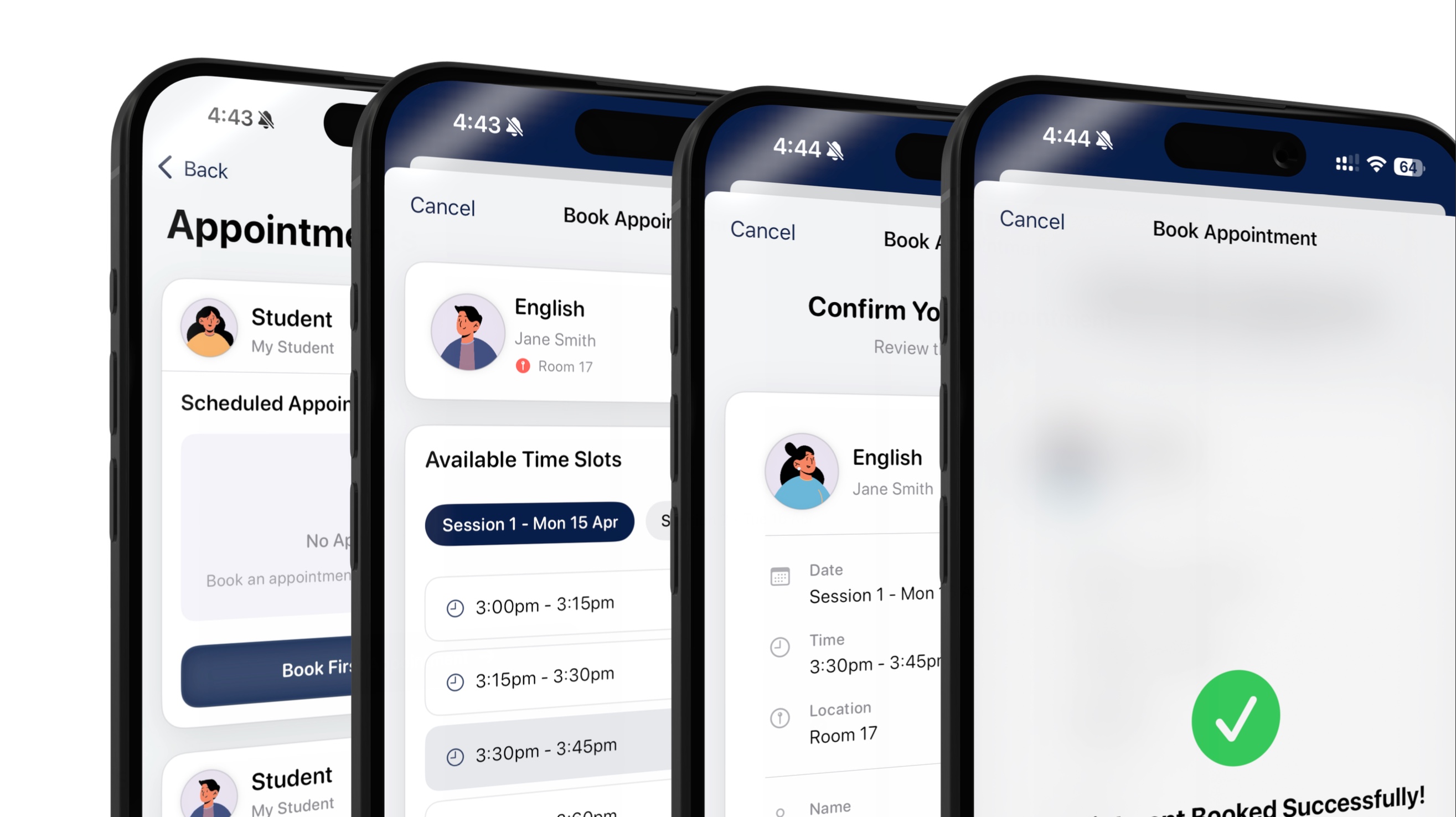
Parent-Teacher Interview night is one of the highest-stakes moments in a parent’s relationship with their school. Across multiple SIS/LMS platforms, we’ve spent years making PTI one of the most delightful parent experiences in the app.
This release adds a handful of much-requested capabilities on top:
- 🌐 Interpreter language visibility — when interpreters are available for an appointment, the language is shown prominently on the appointment card, and parents can pick the language your school offers.
- 📍 Online or in-person, parent’s choice — for interview periods where your school enables it, parents pick their preferred mode for each appointment, and the form asks only for the details that matter for the mode they pick.
Feature set and supported capabilities differ by interview platform — including TASS and Compass.
👥 Parent directories
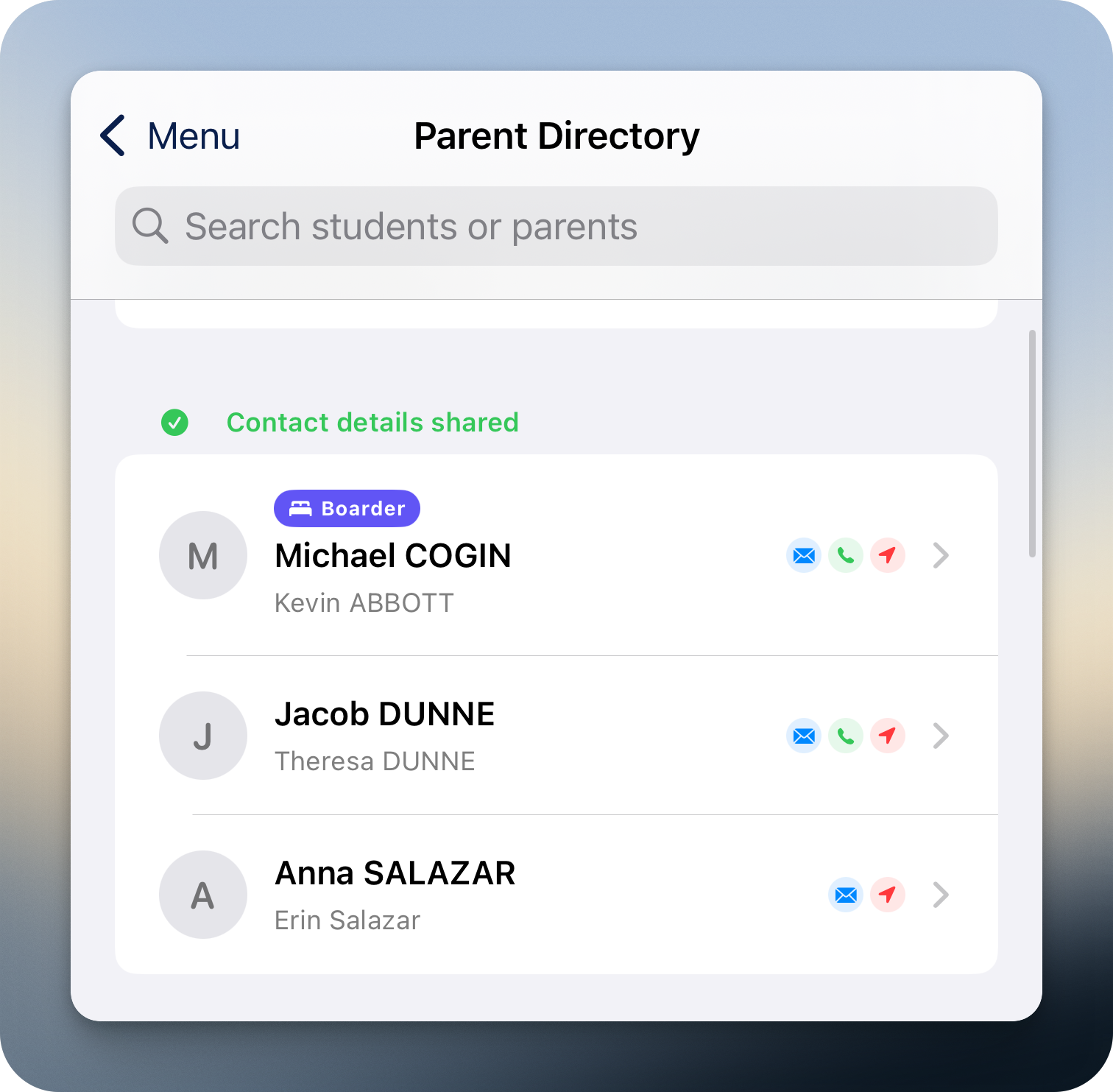
Families forming friendships across a year level is part of the texture of school life. This release adds a parent directory to the app: searchable, scoped to your child’s cohort, and tied to the privacy work your school’s already done in your SIS.
How it works per platform
Available across three SIS / LMS configurations:
Schoolbox (with Synergetic backing the data)
Inklass reads the directory from Schoolbox , which is kept in real-time sync with your Synergetic data. Permissions stay where you already manage them — in Synergetic.
Compass (with Synergetic as your SIS via CompassLink )
Compass periodically syncs your Synergetic data into Compass, so the directory reads through Compass.
Compass (as your SIS — People Management)
Sourced from Compass People Management; visibility honours Compass’s own contact-sharing controls.
For both Compass configurations, parents manage their own detail-sharing consent in Compass — including from inside the app.
🚪 New: Compass Guardian, now from your school app
Schools already rely on Compass Guardian every day — staff tapping into staffrooms and secure areas, admins managing access at scale. This release brings that same experience inside your branded school app, so the phone people already carry becomes the key. One less card to dig out, one less app to install.
- 🏠 Doors on the home screen — favourite doors appear as tiles in the colours your school chooses.
- 🎙️ Siri Shortcut support — unlock without opening the app, with the same secure device-bound authentication behind it.
- 📜 Door favourites and access logs — the Guardian module isn’t just a quick unlock; it’s a richer view of how access flows through your school.
Managing permissions, access cards and Compass card sync into other systems is still done from the Compass web interface.
A small note from us: even Compass’s own office runs on this. Our team taps in with the same app we’d hand to your community, and orders canteen lunches to our desks through the same Canteen module mentioned earlier — there’s something honest about a product the team behind it uses themselves.
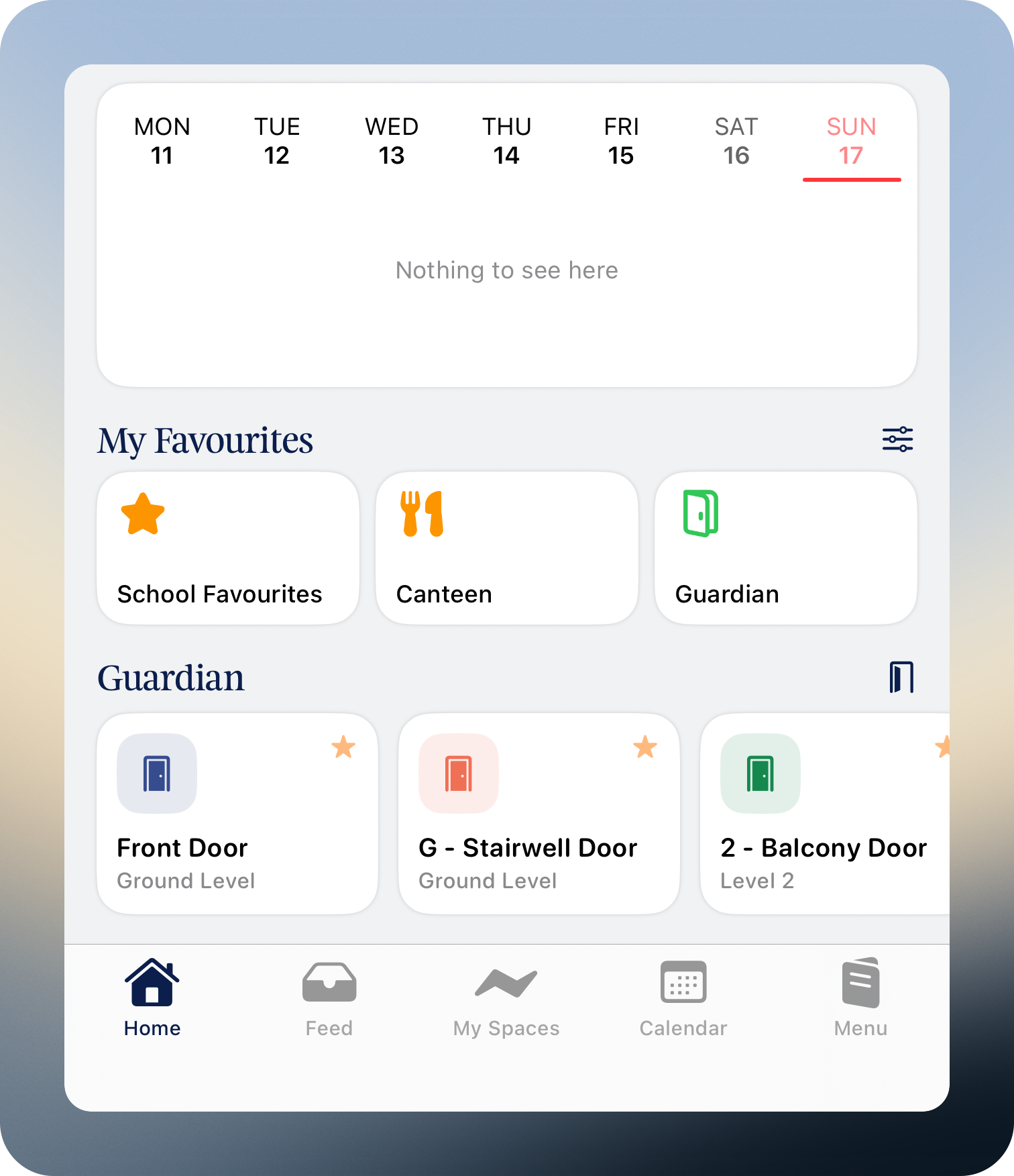
The Compass Melbourne office home screen — Canteen and Guardian, side by side.
📅 The new Sync Schedule
Your phone’s calendar is one of the apps your community lives in. The new Sync Schedule keeps it in sync with your school’s timetable — events, classes and exams update automatically, regardless of which connected system any given entry lives in.
📬 Your unified inbox keeps getting better
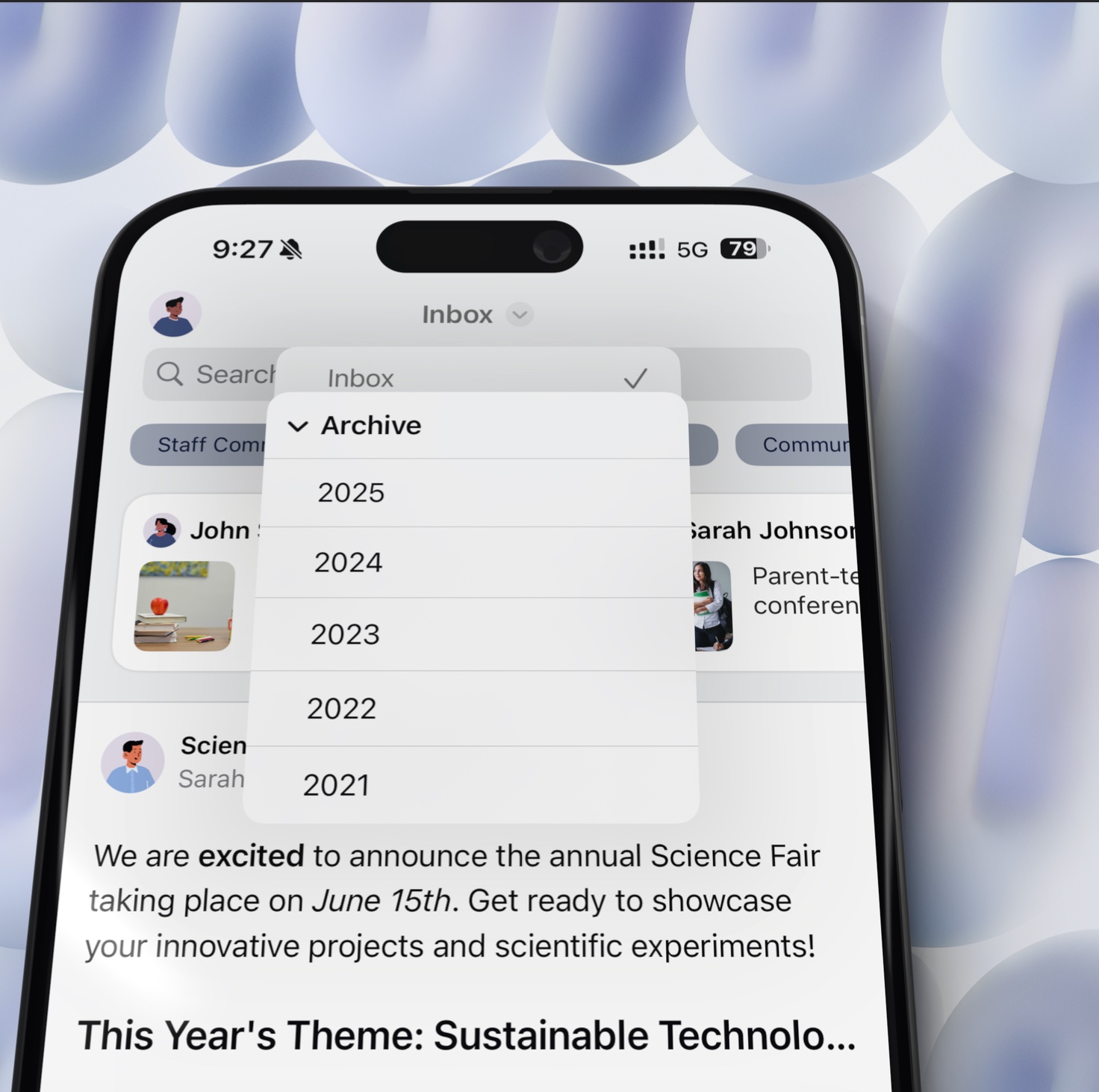
Families don’t think in “sources.” They think “what does the school have to tell me today?” For a while now, your unified inbox has answered that — news and announcements from Schoolbox, Compass and every connected system flow into a single feed, delivered with targeted push notifications.
This release makes Naavi link preview cards more powerful (see below) on top of the long-running fundamentals your community already relies on.
📰 Naavi newsletters, levelled up
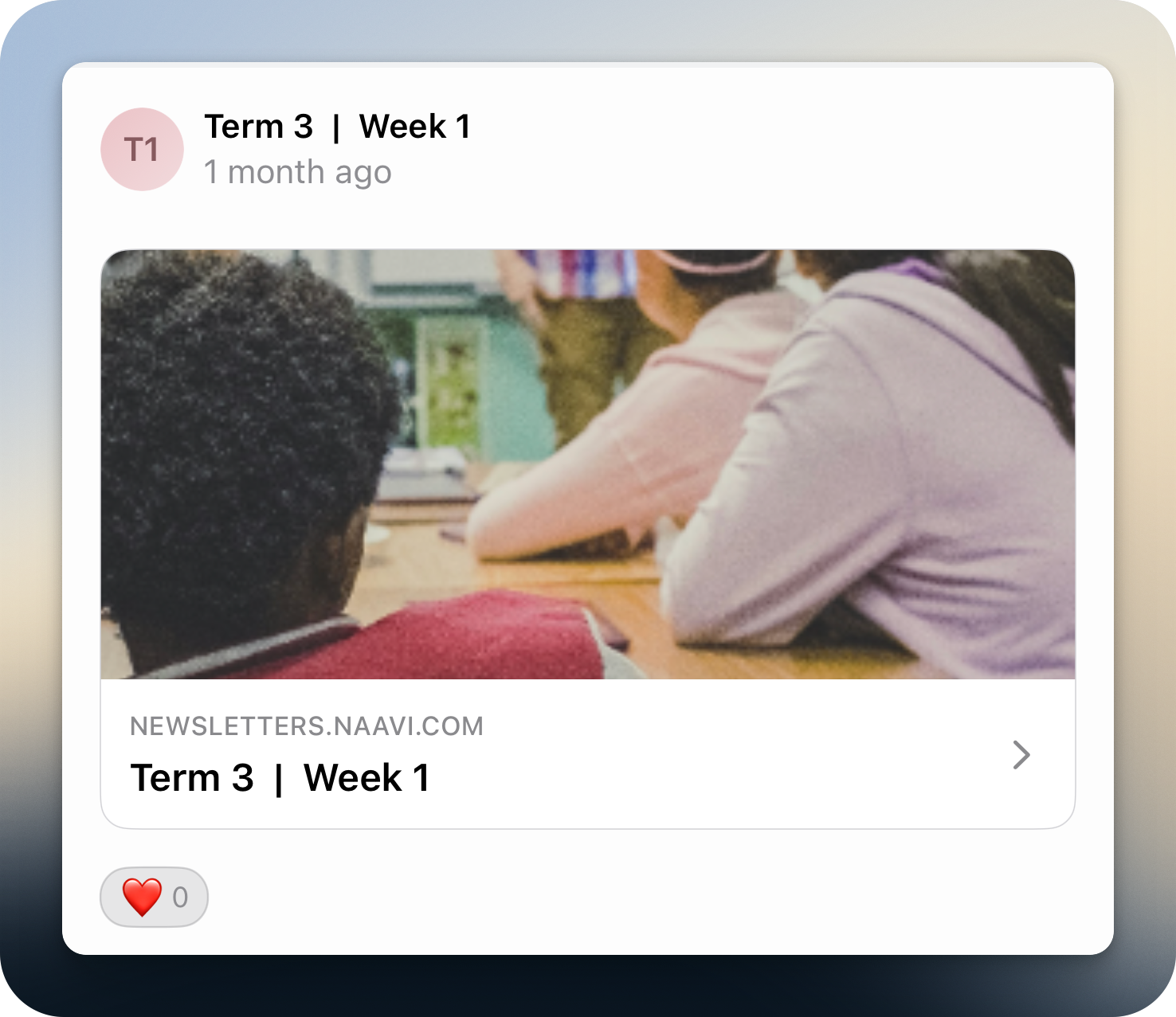
The Naavi integration we launched in September gets a refresh this release. Published issues now flow into the unified inbox as rich link preview cards — proper headers, divider styling, and a tap-through that opens the issue in a clean in-app webview. Newsletters look like newsletters, not raw text.
A moment to zoom out
Look at everything you’ve just read. An uplifted absentee form that lands directly in your SIS. Synergetic Debtors surfaced where they matter. A dozen new Compass modules — Shop, Canteen, Wallet, Events, more. Parent-tappable Schoolbox timetables. Parent directories that honour the privacy work your SIS already does. Compass Guardian door access from your school’s app. A unified inbox flattening every connected system into one feed. View-tag chips on reports. A Sync Schedule keeping every school event on your community’s phone — regardless of which platform any given event actually lives in.
None of it is a single feature. It’s the same feature, applied seventeen ways. We don’t think parents should have to remember a different URL for every system the school runs. We don’t think staff should sign in seven times before lunch. We don’t think a school should brand its app — and then watch every parent leave it for a third-party portal anyway.
We think a school is one place. So we built the platform that makes it feel that way.
Today
Fragmented by design.
Schools run on many platforms. SIS, LMS, extracurricular, library management, and many more — each one essential, each one separate. For parents, students and staff, that fragmentation shows.
logins, tabs, missed updates
That’s the brief. Every section of this release notes — and every release before it — is in service of that single, stubborn idea.
📊 Improved reports
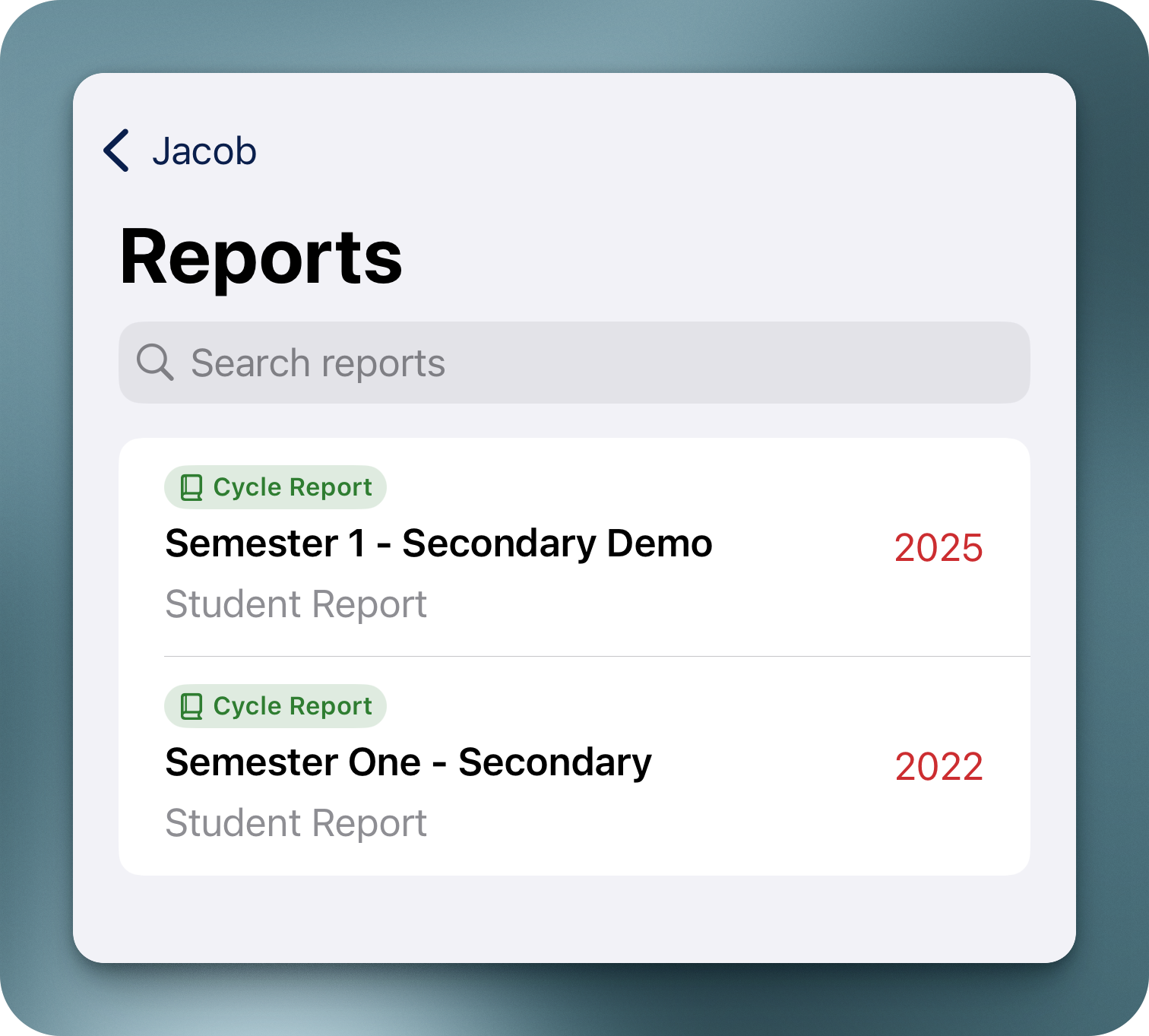
Report time is one of the moments families really pay attention. This release brings a nicer reports UI with view-tag chip support — schools attach coloured, iconic tags to each report (e.g. “Cycle Report”, “Progress Report”, “End-of-Semester”) so families can visually tell different report types apart at a glance. Search filters across tags too, so finding a specific report year-on-year is a tap, not a scroll.
🎨 Polish, brand and craft
A round of refinements to the things your community touches every day:
- Custom primary font support — your school’s typography is a huge part of your identity. Upload your brand font from the admin dashboard and watch it reflect across the entire app. Your community sees your school’s voice on every screen.
- A more discoverable profile menu — schools told us the user-switching experience wasn’t quite obvious enough at a glance. The redesigned profile capsule — avatar + chevron — makes the switch unmistakable. Tap your avatar, switch user, done.
- Fixed a tab-reset bug — on some devices, rotating the device (or similar actions) would reset the selected tab back to the start. The app now holds its place exactly where your community left it.
The Bar
As polished as the apps your parents already love.
Your school app should feel as premium as the social apps parents open every day — fluid motion, real-time updates, crisp typography and haptics that feel native. Because that’s the bar families already hold it to.
It’s the standard we hold every animation, every transition and every tap to. Families don’t owe your school’s app the same patience they’d give a clunky portal — and they shouldn’t have to.
🧱 Under the hood
Some of the most important work this release isn’t a feature you can point to — it’s the cloud-native foundation underneath everything, getting deeper, faster, and more capable with every cycle.
This release brought a new generation of internal APIs powering how your app talks to every connected school system, plus continued investment in our already-extensive test coverage — the kind of patient platform work that compounds in your community’s favour, release after release. See our Cloud & Security page for the full architecture story.
🌱 And there’s more
Everything above is the spotlight. It isn’t the whole picture.
There’s a substantial slate of work either rolling out to specific schools right now or maturing quietly in pilot — across new platform integrations, deeper SIS coverage, fresh content surfaces, and quite a few things we’re not quite ready to announce. Some of it lands in the next release. Some of it is already live for the schools it was built for.
If you’re curious about what’s piloting for schools running a stack like yours, talk to your account manager — there’s almost certainly more we’re already doing for schools running the same setup as you.
✨ What’s Next
📱 One App. Your Whole School.
Just like you’ve seen in these release notes, Inklass delivers regular feature updates, fresh integrations, and design improvements every month. Your school community deserves an app that evolves with their needs.
🚀 Request a Demo
Have questions about this release? Contact us at support@inklass.com.au.